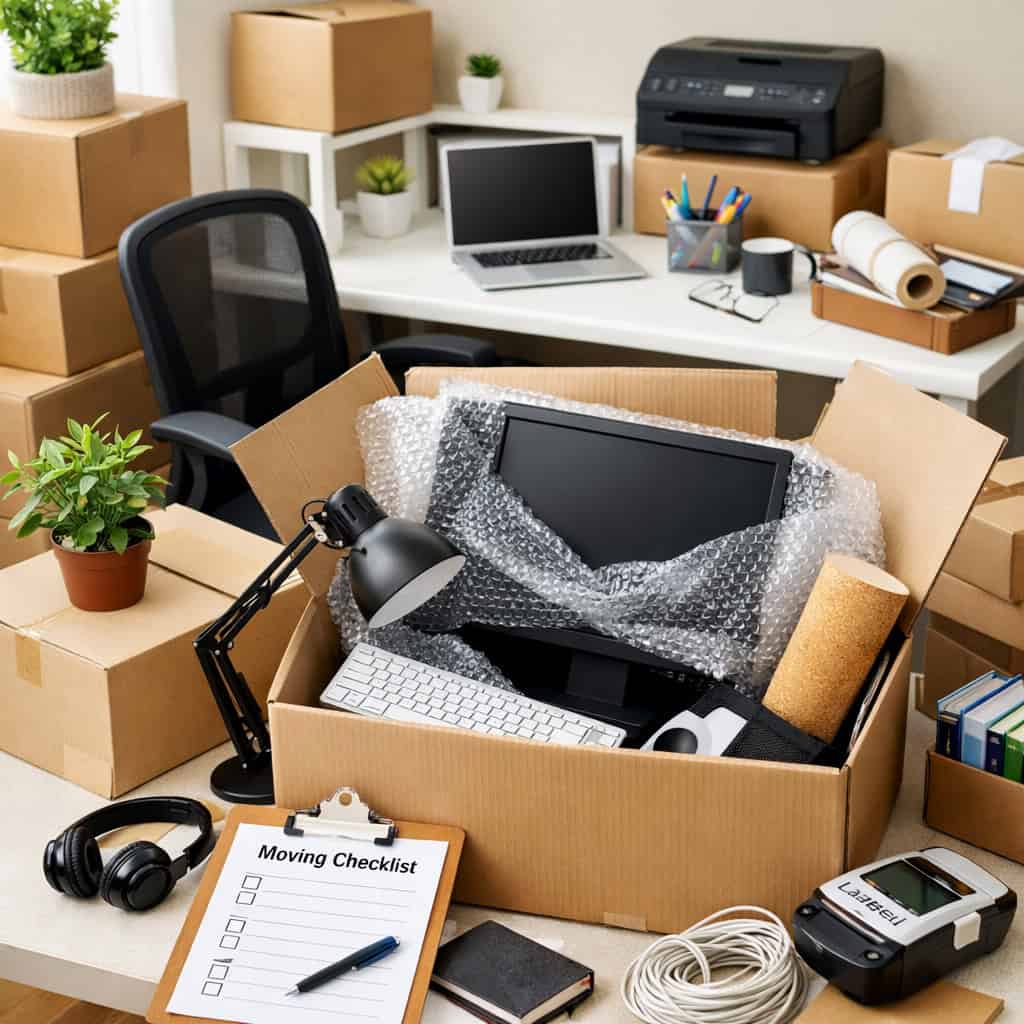

For most people, moving day means boxes, furniture, and a temporary disruption to daily life. But if you work from home, the stakes are higher. Your home office is not just a room – it is your livelihood. A missed deadline, a lost hard drive, or a monitor that arrives cracked can cost you far more than the move itself.
The good news is that with the right approach, you can move your home office efficiently, protect every piece of your setup, and get back online the same day you move in. This guide walks you through exactly how to do it.
Table of Contents
Step 1: Audit Your Setup Before You Pack a Single Thing
Before you reach for a single box, take a complete inventory of your home office. This step takes under an hour and saves you significant time on the other end.
Walk through your workspace and document everything:
- Desktop or laptop computers and external monitors
- Keyboards, mice, webcams, headsets, and microphones
- External hard drives, USB hubs, and docking stations
- Printers, scanners, and shredders
- Routers, modems, and network switches
- Standing desk components, monitor arms, and cable management systems
- All cables, chargers, and power strips
Photograph the back of your computer tower and the cable configuration behind your desk before unplugging anything. You will thank yourself when you rebuild the setup at the new location. Label every cable with a small piece of masking tape and a marker – even if you think you will remember what goes where.
Step 2: Back Up Everything Before Moving Day
This step is non-negotiable. Hard drives are mechanical devices and moving introduces vibration, impact, and temperature changes that can cause data loss even in well-packed boxes.
Back up your critical files using at least two methods:
- Cloud backup – Google Drive, Dropbox, OneDrive, or a dedicated backup service
- External hard drive backup – store this separately from your computer during the move, ideally in your personal vehicle rather than the moving truck
If you need a secure place to keep sensitive equipment or archived files during a gap between moves, moving storage solutions can provide a clean, climate-controlled option that keeps your gear protected until you are ready to set up your new workspace.
If you use any software with local licenses or activation keys, record those before the move. Reinstalling software on a new network or after a hardware change sometimes requires reactivation, and tracking down license keys mid-move is a frustrating and avoidable problem.
Notify your clients, employer, or team in advance that you are moving. Even a short window of downtime is less damaging when people expect it. A simple message a few days before the move sets the right expectations and protects your professional reputation.
Step 3: Pack Your Equipment the Right Way
Home office equipment is among the most damage-prone category of items in any move. Screens crack, hard drives fail from impact, and towers get dented when boxes shift in the truck. Packing this category correctly is worth the extra effort. If equipment does arrive damaged despite your best preparation, knowing exactly what to do when your move goes wrong can save you significant time and money.
Monitors
The original manufacturer box is always the best option if you kept it. If not, use a monitor box from a moving supply store or ask your movers for one. Wrap the screen in anti-static bubble wrap, not regular bubble wrap, which can generate static electricity and damage electronics. Place foam padding on all four sides and mark the box as fragile.
Desktop Towers and Laptops
Wrap towers in anti-static bubble wrap and pack them upright in a snug box with foam on all sides. Laptops travel best in a padded laptop sleeve inside a carry bag that rides with you in the car – not in the moving truck. The fewer miles your laptop spends in a moving truck, the better.
Cables and Accessories
Coil cables neatly and secure each one with a velcro tie or rubber band. Place them in clearly labeled zip-lock bags grouped by device. Pack all accessories in a single clearly labeled box so you can locate everything quickly when rebuilding your setup. Arriving at a new home and spending two hours hunting for the right cable is a frustrating and unnecessary delay.
Printers and Scanners
Remove ink or toner cartridges before moving and seal them in a zip-lock bag to prevent leaking. Secure any moving parts with tape or packing foam. Wrap the unit in bubble wrap and pack it with sufficient padding on all sides.
Step 4: Plan Your Internet Connection in Advance
This is the most overlooked part of a home office move – and the one most likely to cost you a full workday. Internet service does not automatically transfer when you move. You need to schedule it.
Contact your internet service provider at least two to three weeks before your move date to schedule installation or transfer of service at your new address. Ask specifically whether the new address has existing infrastructure or requires a technician visit, as the latter can mean a wait of several days to a week.
If there is any risk of a gap in service, set up a backup plan in advance:
- A mobile hotspot through your phone carrier
- A dedicated portable hotspot device
- A nearby coffee shop or coworking space for critical meetings
Professional movers Buffalo NY residents rely on can often help you coordinate the timing of your move to accommodate internet installation windows. At Wayfinder Moving, we work around our customers’ schedules – including remote workers who cannot afford a connectivity gap on a weekday.
Step 5: Rebuild Your Office Strategically on Move-In Day
Resist the urge to unpack everything at once. On move-in day, your only home office goal is to get your core work setup operational. Everything else can wait.
Focus on this sequence first:
- Internet connection – confirm it is active before anything else
- Primary computer and monitor
- Keyboard, mouse, and webcam if you take video calls
- Phone charger and headset
- Your most critical files and applications
Defer the rest – the printer, the second monitor, the filing cabinet, the decorative items – until your core setup is running and you have confirmed you can do your work. Getting operational quickly reduces stress and protects your income on one of the most demanding days of the year.
Position your desk near a power outlet and ethernet port if possible before the movers place it, as moving heavy desks after the fact wastes time and energy.
What to Look for in a Moving Company When You Work From Home
Not all moving companies understand the sensitivity of home office equipment. When you evaluate movers, ask specifically about their experience with electronics and whether they carry anti-static packing materials. A company that offers dedicated office moving services brings the right equipment, training, and handling protocols to protect your setup from start to finish.
Look for a company that:
- Provides a detailed written contract outlining liability for electronics
- Carries full value protection options for high-value items
- Has experience with careful handling of monitors, towers, and sensitive equipment
- Offers flexible scheduling that accommodates your work calendar
- Communicates clearly and arrives on time
As experienced movers Buffalo NY professionals, the Wayfinder Moving team understands that your home office represents both your personal space and your professional livelihood. We handle electronics with the same care we bring to antiques and fine furniture – because we know what is at stake.
Frequently Asked Questions
Should I move my computer equipment myself or let the movers handle it?
For laptops and external hard drives, we recommend transporting them yourself in your personal vehicle. These items are sensitive to vibration and temperature changes, and keeping them with you reduces risk. For desktop towers, monitors, and larger equipment, professional movers with experience in electronics handling are the better option – provided they use appropriate anti-static packing materials and mark boxes as fragile.
How far in advance should I schedule internet service at my new address?
At minimum, contact your internet provider two to three weeks before your move date. Some providers can transfer service quickly, while others require a technician visit that may take longer to schedule. If you depend on a stable connection for your work, build in extra time and arrange a mobile hotspot as a backup. Do not assume your service will transfer automatically – it typically does not.
Does Wayfinder Moving have experience handling home office equipment?
Yes. Learn more about Wayfinder Moving and the team behind every move we handle throughout Western New York. We use appropriate packing materials for sensitive items and work with our customers to schedule moves around their work commitments. Contact us at (716) 832-6683 to discuss your home office setup and we will build a plan that protects your equipment and keeps your workday on track.
Moving your home office does not have to mean lost revenue or missed deadlines. With the right preparation, the right packing approach, and the right moving team behind you, you can walk into your new space and get back to work the same day. If you are planning a move in the Buffalo area and want movers Buffalo NY remote workers trust to handle their equipment with care, visit Wayfinder Moving to request a free quote today – no hidden fees, no surprises.